11xPlay Pro Dashboard — Clear Live Read of Balance, Exposure and P/L
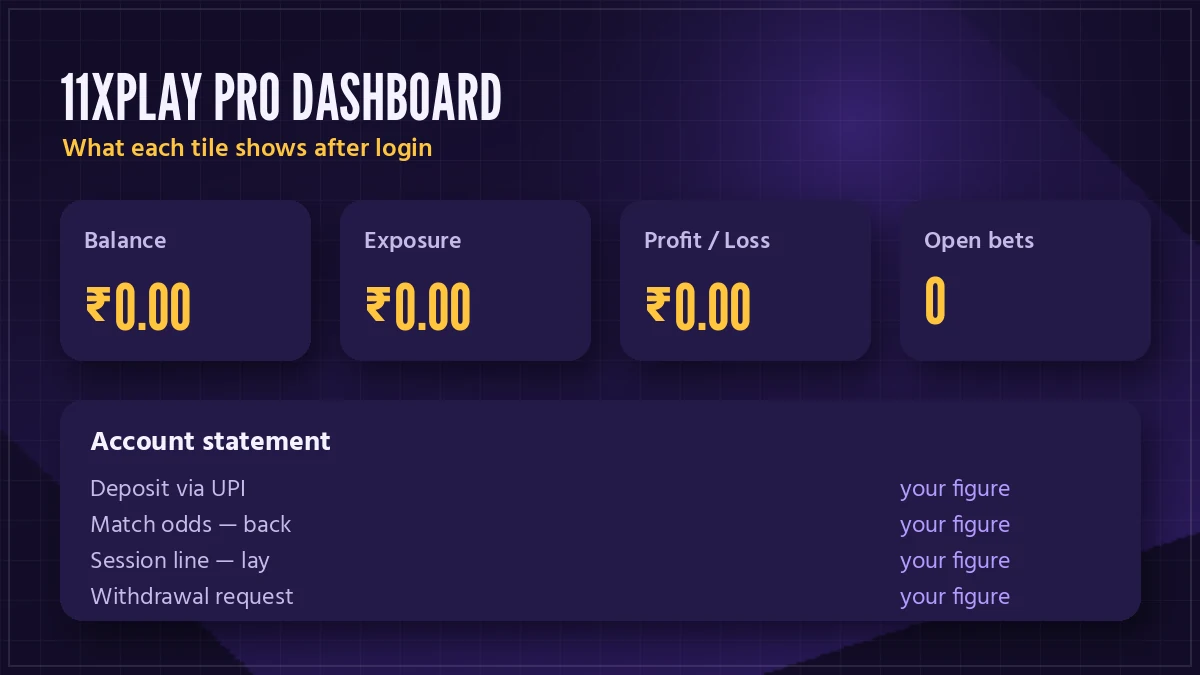
The 11xplay pro dashboard is the screen you land on once your username and password go through. Three tiles sit on top: balance, exposure, P/L. Under them run your open bets, and around them the deposit, withdraw, statement and bet history buttons. Below, each one gets read in plain words, with a worked table for the tile that confuses people most (exposure, almost always).
11xPlay Pro Dashboard Tour — Every Live Tile, Plainly Read
Start at the left. Balance is the money you can stake right now, this second, on any 11xPlay market or casino table. It is not the total you deposited and it is not what you would have if every open bet settled in your favour. Just the free cash.
Balance on 11xPlay
Goes up when a deposit credits or a bet settles as a win. Goes down the moment you place a bet, because the stake (or, on a lay, the liability) moves out of it and into exposure.
Exposure on 11xPlay
This second tile is the one that jumps while a match is on. Every stake you have riding on an unsettled 11xPlay market is counted here, and it only empties when those markets are settled: into the balance with any winnings, or out of the account.
Then P/L. On the 11xPlay dashboard this tile tells you how your settled bets have done, profit written as a plain figure and loss with a minus in front. An open bet does nothing to it until the result is in, which is why a big evening of live cricket can show a calm P/L and a scary exposure at the same time.
One detail that surprises new players: the tiles look the same whichever 11xPlay address you signed in through, and on the app too. It is one ID with one balance, so a bet placed from your phone at lunch shows up in exposure when you open the laptop at night. There is no second wallet hiding anywhere, no separate casino balance to move money into before a round of Aviator or a hand of Teen Patti.
Fourth comes the open bets row, and honestly the one most people skip. Each line shows the market, whether you backed or laid, the odds and the stake. Matched bets are live; unmatched ones are still waiting for someone to take the other side and can usually be cancelled from the same row. Only the matched part counts toward exposure in a meaningful way (an unmatched bet holds money too, but you can pull it back).
Quick way to check the maths: balance plus exposure should roughly equal what you had before those bets went on. If it does not, look at the 11xPlay statement before anything else.

Reading Exposure and P/L on the 11xPlay Dashboard — A Clear Worked Table
Ask the desk which tile confuses people and you get the same answer every time. On 11xPlay the back price and the lay price sit next to each other on each market row, and tapping one or the other decides how much of your balance gets parked. Back: the stake, full stop. Lay: whatever you would owe the other side if your call is wrong, which at 3.50 is two and a half times the stake.
Each row below uses ₹500 as the stake, since it is one of the common top-up sizes. Odds are picked as examples, nothing more.
| Bet on the 11xPlay market row | Exposure tile moves by | P/L if it wins | P/L if it loses |
|---|---|---|---|
| Back ₹500 at 2.00 | ₹500 | +₹500 | −₹500 |
| Back ₹500 at 3.50 | ₹500 | +₹1,250 | −₹500 |
| Lay ₹500 at 2.00 | ₹500 | +₹500 | −₹500 |
| Lay ₹500 at 3.50 | ₹1,250 | +₹500 | −₹1,250 |
Read the last row twice. Same ₹500 stake, but 11xPlay parks ₹1,250 because that is the full liability if the side you laid goes on to win. People see the exposure tile jump and assume something has broken. It has not.
Two bets on one market can also offset each other. Back a team, then lay the same team later at a shorter price, and the exposure for that market drops, because whichever way it goes one bet covers part of the other. I think this is the single most useful thing to understand about the 11xPlay dashboard, and the 11xPlay back and lay page goes deeper on the market side of it.
P/L only changes after settlement. That’s all.
11xPlay Pro Dashboard Searches, Answered Fast
Reaching the 11xplay pro dashboard
Most people type https 11xplay pro dashboard or https 11xplay pro home straight into the search bar, hoping to skip a step. Both end at the same screen as the 11xplay pro dashboard login, and the 11xplay pro login uses the same username as the plain 11xplay login. Your 11xplay login id and password come from the desk with your 11xplay new id, and the first sign-in asks you to change the password.
No ID yet? The 11xplay new id sign up, 11xplay registration and 11xplay sign up all mean one thing: a message to the 11xplay whatsapp number, and an 11xplay id comes back. That same 11xplay online id is what the 11xplay online id login screen expects. Players who came through 11xplay reddy anna or 11xplay reddy login land on this identical account too.
Addresses, app and the rest of the cluster
11xplay itself sits on several addresses: 11xplay com, 11xplay in, 11xplay org, 11xplay live, 11xplay black with its own 11xplay black login, and 11xplay pro. Betting domains get blocked in India, so the 11xplay site moves while the account stays. Search 11x play online and you reach the same balance.
For phones, the 11xplay app, 11xplay download, 11xplay pro download, 11xplay com app and 11xplay com app download apk searches all point at one package. Once inside, 11xplay back puts back and lay side by side, the 11xplay game list covers the casino floor, and 11xplay withdrawal starts from the dashboard button.
11xPlay Dashboard Statement and Bet History — Verified Records of Every Rupee
Two records, two different jobs.
Think of the account statement on 11xPlay as the money trail. Every deposit that credited, every withdrawal that left, every bet that settled, each line with the running balance next to it. When a figure on the dashboard does not match what you remember, the statement is where the answer lives, because it lists the movements in the order they happened rather than grouped by market.
Bet history is narrower. It lists bets: the market (say a match odds line in an IPL fixture, or a session line on the same game), back or lay, odds, stake and result. Open the 11xPlay bet history when you want to see how a particular evening went bet by bet, without deposits cluttering the view.
A small habit that saves arguments: before you ask the 11xPlay desk about a payout, open the statement, find the withdrawal line and note its time. Staff can trace it much faster with that one detail than with a screenshot of the balance tile.
A composite case, the kind the desk sees often. A player in Pune backs a side in the evening, lays it again near the end at shorter odds, then sees a P/L smaller then he expected. Bet history shows both bets; the statement shows the one net settlement. Nothing missing. Both views were simply answering two different questions on the same 11xPlay account.
Deposit and Withdraw From the 11xPlay Dashboard — Quick UPI Buttons
The deposit button on the 11xPlay dashboard takes UPI, IMPS or a bank transfer. Minimum is ₹100; most people top up ₹500, ₹1,000 or ₹2,000. Once the payment credits, the balance tile moves and nothing else does — exposure and P/L stay exactly where they were.
Withdraw works the other way round. You request an amount, it leaves the balance, and on 11xPlay the money usually lands in 20 to 45 minutes. On a busy match night, late, it can pass an hour. A statement line appears the moment you ask, not when the bank credits it, so do not panic if the balance has dropped and your account has not caught up yet.
One catch people run into. You can only withdraw from the balance tile, never from exposure. Money sitting against an unsettled bet stays there until the market settles, which on a long Test match can be days. Probably the most common 11xPlay withdrawal question there is, and the answer is always the same: wait for settlement, or close out the position.
11xPlay Pro Dashboard Login — The Official Three-Step Path
You never reach the dashboard without signing in first, and the route is short.
- Tap a Login link on this page. It opens the current 11xPlay address, whichever one is working today.
- Type the username and password the 11xPlay desk sent you over WhatsApp. Nothing else is asked for.
- First time only: set your own password when prompted. After that, the 11xPlay Pro Dashboard loads with the balance tile on top.
If anything breaks, it breaks at the first tap. Our Login links follow whichever 11xPlay address opens this week; a bookmark saved before the last switch just spins, because India blocks betting domains and 11xPlay changes address when it happens. Your username carries over untouched. The 11xPlay Pro address page explains the address itself, and the full 11xPlay login steps cover what to do when the password is refused.
From the tiles you can go straight to cricket match odds, a bookmaker line, kabaddi, tennis or the racing cards, and the casino floor sits one tap further on. All of it spends from the balance you just read, and every stake you place shows up in exposure before you even return to the top of the page.
11xPlay Dashboard Figures Look Wrong? Easy Checks Before You Message Support
Most "wrong" numbers on the 11xPlay dashboard are right numbers read at the wrong moment. A few quick checks, roughly in the order they tend to solve things:
11xPlay balance reads short
Look at exposure first. An open lay at big odds can hold far more than its stake, and that money has left the balance tile for now on 11xPlay.
Exposure stuck after the match
Settlement can take a little while after the final ball, longer on fancy and session lines. Refresh once, then check the open bets row for anything still unsettled.
Missing money is not a reading problem, though. If a top-up has gone from your bank but the 11xPlay balance tile has not moved, copy the UPI transaction ID from your payments app and send it over WhatsApp — someone is on the 11xPlay desk at 3 am as much as at 3 pm. For a payout running late, give it the full hour on a big match night first; after that, the withdrawal line from your statement is the thing to send.
And if the whole dashboard will not load? Nearly always the address. Go back to the Login link on this page rather than the the old bookmark.