

11xPlay App Download — Official File From the Desk Link, Same ID Inside
Tap Install 11xPlay, let the browser save the file, open it from Downloads and press Install. That is the whole 11xplay app download on Android. iPhone owners skip the file and pin 11xPlay to the home screen from Safari instead. Either route ends at the same sign-in screen, where the username and password the 11xPlay desk sent you on WhatsApp open the same balance you see on the website.
How to Do an 11xPlay App Download on Android — Quick Numbered Install
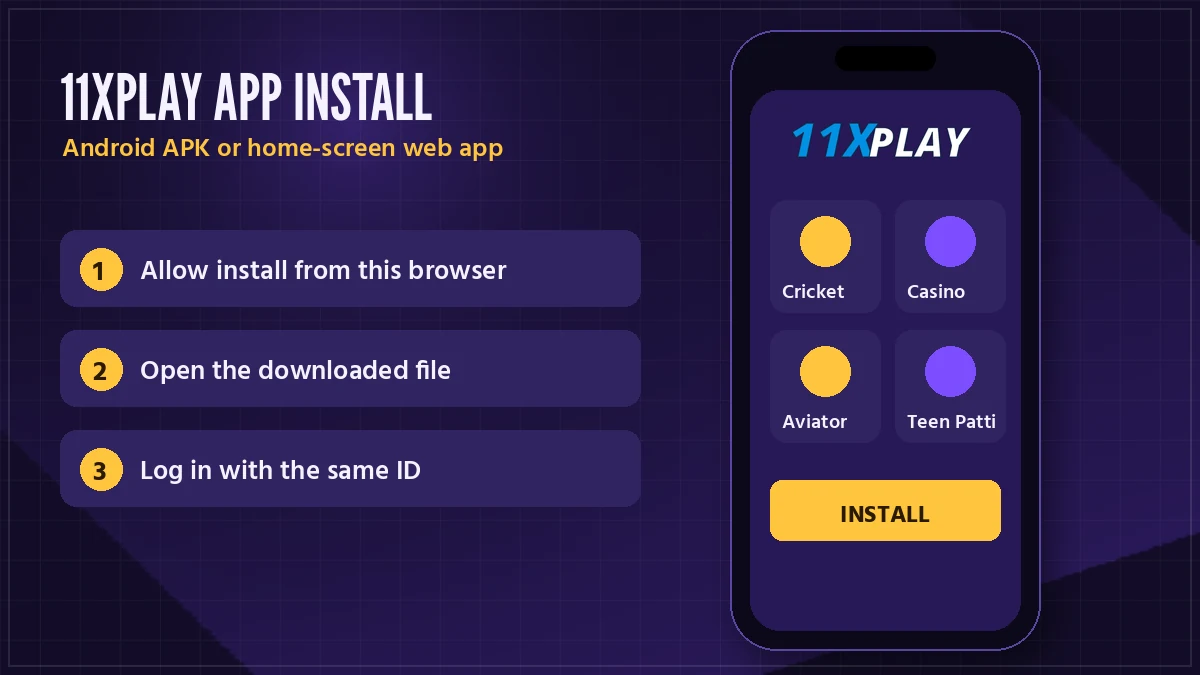
Six steps. None of them needs a Play Store account, because the 11xPlay Android build comes as an APK file handed out from the official 11xPlay address rather than from a store listing. If a step below looks different on your phone, that is usually the maker's own skin (Samsung, Xiaomi and Vivo all rename the same menus), not a problem with the file.
- Start from an 11xPlay link. Either the Install 11xPlay button in the phone card above, or whatever link sits in your desk chat. Both reach the official 11xPlay address in Chrome.
- Pick Android. Chrome follows up with its stock line about harmful files, which it prints for any APK from outside Play Store. Came from an 11xPlay link? Carry on with Download anyway.
- Find the file. Tap Open on the finished-download notification. Missed it? Open Files, then Downloads, and the 11xPlay file sits at the top. Check the size shown on the download screen; we do not print a figure here because builds change.
- Allow the prompt. Android asks whether your browser (or file manager) may install unknown apps. Switch that toggle on for that one app and press back.
- Install. Tap Install. Play Protect may offer to scan the file first. Let it.
- Sign in. Open the new 11xPlay icon, type the username and password from the desk, and set your own password when the first login asks for it.
Still without an account? Open the 11xPlay new ID request first and carry on with the install while it goes through.
Most people usualy finish all six before the reply lands. The only step that trips anyone up is the fourth one, because Android hides the toggle a level deeper on some phones; if you do not see it, go to Settings, search "install unknown apps", and pick the browser you used for the 11xPlay download.
11xPlay App on iPhone — Free Home-Screen Shortcut in Safari
Four taps in Safari, starting from the 11xPlay address you already use: Share, Add to Home Screen, keep 11xPlay as the name, Add. The icon that appears was made by you rather than downloaded from anywhere, and it reopens 11xPlay right where the sign-in fields are.
Why no file? Apple phones refuse APKs, whoever sends them.
Recent versions of Chrome on iPhone have the same option inside their own share menu. Safari is the safer bet though, honestly, because it is the one Apple lets place a proper icon.
A regular from Pune once asked the 11xPlay desk for the iPhone file three nights running. The reply was the same each time: there isnt one, here are the four taps. He has used the shortcut ever since, and his balance on it is exactly the one he sees on his laptop.
Android owners can make the same shortcut from Chrome's three-dot menu if they would rather not install anything. More on that trade-off next.

11xPlay APK vs Browser — Which Official Route Suits Your Phone
Both routes reach the same 11xPlay account. The differences are practical ones: storage, how updates arrive, and what happens on the day an address stops opening.
| Point | 11xPlay Android app (APK) | Browser or home-screen shortcut |
|---|---|---|
| How you get it | Download the file from the 11xPlay address or the desk link | Open the address, add it to the home screen |
| Phones | Android only | Android and iPhone |
| Store account | Not needed | Not needed |
| Phone storage | Takes space; check size on download | Almost none |
| Updates | Install the newer file over the old one | Nothing to do, the page is always current |
| Address blocked in India | May need the current build from the desk | Open the new address, same ID |
| Login | Same 11xPlay username and password | Same 11xPlay username and password |
Our honest read: if you watch cricket session lines on a phone most evenings, the APK is nicer, because it opens straight into 11xPlay without tabs or a browser toolbar. If your phone is short on space, or it is an iPhone, the shortcut does everything the 11xPlay app does. Hard to say one is better; it depends which annoyance bothers you more.
Plenty of 11xPlay regulars keep both. The Android app for the evening match, when they want the fancy and session lines one tap from the home screen, and the browser on a work laptop for checking the balance or a settled bet. Nothing clashes, since both are windows onto one 11xPlay account; a bet placed in the app shows in the browser history, and a deposit made in the browser shows in the app.
The one case where the browser wins outright is a borrowed or shared phone. Sign in, do what you need, sign out, and nothing of 11xPlay stays behind on someone else's handset.
11xPlay App Permissions — What a Genuine Install Asks For
First, the permission people get wrong. "Install unknown apps" is granted to your browser or file manager, not to 11xPlay. It lets that one app hand the 11xPlay file to Android's installer, and you can switch it off again once the icon appears.
Normal for the 11xPlay app
Internet access, so the 11xPlay app can load markets, odds and your balance. A notification prompt on newer Android versions is your choice; saying no does not stop login, deposits or bets.
Stop and message the 11xPlay desk
Contacts, SMS, call logs, accessibility service or device admin. None of these has any role in placing a back or lay bet on an 11xPlay market row, so a file that asks for them is not the file the desk sent.
Later on you can reopen the list under Settings, Apps, 11xPlay, Permissions and switch off anything you allowed by mistake. Two seconds. The 11xPlay app keeps working with just internet access left on.
11xPlay App Update and Reinstall — Keep the Latest Build Without Losing Your ID
An update is a second install laid on top of the first. Fetch the newer build from the 11xPlay address or your desk chat, open it, and where Android used to say Install it now says Update. Nothing about your 11xPlay login moves.
If the update refuses. Sometimes Android says the app is not installed when you try to put a new build over an old one. Uninstall the old 11xPlay app first, then install the fresh file. Nothing is lost by doing this; your balance, bets and history live on the 11xPlay account, not on the phone.
There is one more reason an update matters. Betting domains get blocked in India, and when an 11xPlay address stops opening, the sportsbook moves to the next one. The account does not change, and neither does your balance. An older build may keep knocking on the old door, though (that is the usual cause of an app that opens to a blank screen), so ask the desk for the current download link and install it over the top.
Reinstalling on a new phone is the same six steps from the Android section. Sign in with your username and the password you set yourself, not the first one the desk sent.
11xPlay App Login — Same Trusted ID, Same Balance
Sign-in inside the 11xPlay app is the ordinary pair of fields, username on top and password underneath. Short version.
The first time you sign in with the details the desk sent, 11xPlay asks you to set your own password, and from then on that new password is the one that works in the app, in the browser, and on every 11xPlay address. The balance is shared too. Top up ₹100 through UPI on the website and it shows in the app on the next refresh. The 11xPlay login page covers the sign-in screen field by field if something refuses.
Nothing is trimmed for the phone. Session and fancy lines sit under the cricket match odds and bookmaker market, with kabaddi, tennis, football and the horse and greyhound cards a swipe away, and back and lay stay paired on every 11xPlay row. The casino side has Aviator, Teen Patti, Andar Bahar, roulette and the Ezugi and Evolution live tables. See what is running tonight on 11xPlay live cricket and casino.
Where the Genuine 11xPlay App Download Comes From
Two places, and only two. The official 11xPlay address you already sign in on, or the link the 11xPlay desk sends you on WhatsApp. Everything else is a guess.
Why not Play Store? The 11xPlay app is not listed there. A search for it will still throw up results with similar names and similar icons, and none of them are the 11xPlay sportsbook; at best they are score apps, at worst they want your login.
Which address you download from does not matter much. 11xPlay runs on several, the Pro, Black, com and live addresses among them, and they all lead to one account. Pick the one that opens on your network today. If none does (it happens on the odd night when a domain gets blocked mid-evening), message the desk and ask for the current download link; the reply usually comes with the address that is working right now.
A small habit that saves trouble later: keep the desk chat. The next time the 11xPlay app needs a fresh build, the same thread is where the new link turns up, and you will not be hunting through search results for something that looks right.
Same rule for friends. If someone forwards you "the 11xPlay APK" as a file inside a group chat, you have no way to know which build it is or who touched it, so delete it and take the link from 11xPlay directly. That takes a minute. Probably less.
11xPlay App Download Errors — Quick Fixes Table
A download that stalled halfway, a toggle buried in Settings, an 11xPlay build from last month pointing at a blocked address: each of those shows up as its own wording on the phone, which makes them easy to tell apart.
| What the phone says | Likely cause | What to do |
|---|---|---|
| App not installed | An older 11xPlay build is in the way, or storage is full | Uninstall the old 11xPlay app, free some space, install again |
| There was a problem parsing the package | The download stopped part-way | Delete the file and download it again on steady Wi-Fi |
| A Settings prompt about unknown apps | The install toggle is off for your browser | Tap Settings on the prompt, switch it on, press back |
| Blocked by Play Protect | The file is not from Play Store | Choose install anyway only if the file came from the 11xPlay address or desk |
| Download never starts | The address is blocked on your network | Ask the 11xPlay desk on WhatsApp for the current link |
| App opens to a blank screen | The build points at an old address | Install the latest 11xPlay build over the top |
| Wrong password in the app | Using the desk password after you already set your own | Type the password you chose at first login |
Still stuck after the table? Send the desk a screenshot of the exact message. It is quicker then typing it out, and the 11xPlay team sees the same few errors every day so they generally know the answer from the picture alone.
One thing that is not an error: the 11xPlay app will not appear in Play Store search, because it is not listed there. That is expected, not a fault with your phone.
Asked Before Installing: 11xPlay App Download, Clear Answers
How do I download the 11xPlay app?
Tap Install 11xPlay, choose the Android option on the official 11xPlay address, open the file from Downloads and press Install. Android asks once to allow installs from your browser; switch that on. On iPhone there is no file, so add the 11xPlay address to your home screen from the Safari share menu instead.
Is the 11xPlay app free to download?
Yes, the 11xPlay app costs nothing to download or install, on Android or as an iPhone shortcut. You only put money in when you choose to fund your 11xPlay ID for real play. Downloading, signing in and browsing the cricket and casino lobbies never charges you anything.
Is there an 11xPlay app for iPhone?
Not as a file. Apple phones refuse APK installs, so 11xPlay on iPhone is a Safari home-screen icon: open the 11xPlay address, press Share, pick Add to Home Screen and confirm. It launches on the 11xPlay sign-in page and carries the balance you see on Android or a laptop.
Is the 11xPlay APK safe to install?
Yes, if it came from one of two places: the official 11xPlay address or the download link inside your WhatsApp chat with the 11xPlay desk. Before tapping Install, read the permission list Android shows. Internet access is expected; a request for contacts, SMS or call logs means you have the wrong file.
Why does my phone say the 11xPlay app is not installed?
The usual cause is an older 11xPlay build already on the phone or storage that is full. Uninstall the old 11xPlay app, clear some space and install the new file again. Your balance and bet history stay safe because they sit on your 11xPlay account, not in the app.
Can I use my existing 11xPlay ID in the app?
Yes. Whatever login already opens 11xPlay in your browser opens the app too, since the app is only another door into the same account. If you changed the password at your first login, type the new one; the original password the desk sent is replaced by that change.
How do I update the 11xPlay app?
Grab the newer build from the 11xPlay address, or ask in your desk chat for the current link, then open the file. Android labels the button Update and keeps you signed in. When it refuses, remove the old 11xPlay app first and install fresh; your account balance is untouched.
Is the 11xPlay Pro download the same app?
Yes. Pro is simply another address the 11xPlay sportsbook runs on, so a download taken there installs the ordinary 11xPlay app. Domains get blocked in India and the sportsbook shifts between addresses, yet your 11xPlay ID, the password you set and the balance never move with them.
11xPlay App Download and Every Popular 11xPlay Search in One Place
11xPlay app, APK and download
This page is the 11xplay app download reference for the site. People type it several ways, 11xplay app, 11xplay download, 11x play app download, 11xplay com app and the longer 11xplay com app download apk, and all of them mean the same Android file from the official 11xPlay address, or a Safari shortcut on iPhone. The 11xplay pro download is the same app reached through the Pro address. Once installed, the 11xplay game list, cricket markets and the rest of 11x play online open behind one sign-in.
11xPlay login, ID and payouts
The app uses the ordinary 11xplay login: your 11xplay login id and password from the desk. Searches around the account usually land on one of these:
- 11xplay new id, 11xplay new id sign up, 11xplay sign up and 11xplay registration, which all run through WhatsApp.
- 11xplay id and 11xplay online id, the account itself, and 11xplay online id login for signing in with it.
- 11xplay whatsapp number, when someone has lost the desk chat, and 11xplay withdrawal, asked mostly by players checking whether the app can cash out (it can, same as the site).
- 11xplay back, meaning a back bet placed on any market row.
11xPlay addresses and names
Plain 11xplay, 11xplay com, 11xplay in, 11xplay org and 11xplay site are address searches, since domains get blocked and the sportsbook moves. 11xplay black and 11xplay black login, 11xplay pro, 11xplay pro login and the 11xplay pro dashboard, and 11xplay live are further addresses for the same account. Searches for 11xplay reddy anna and 11xplay reddy login have their own page in the footer; the ID you use in the app is the same one.